

Migrating an e-commerce store is not a routine platform switch; it is a business-critical transformation that affects revenue, SEO visibility, customer trust, and internal operations all at once. Teams often underestimate the scope, assuming Shopify’s ease of use will magically remove complexity. In reality, most migration problems are not technical failures but planning failures. Industry experience consistently shows that a large share of replatforming projects encounter major issues such as lost SEO rankings, broken integrations, or data inconsistencies, and nearly all of them are preventable with the right preparation.
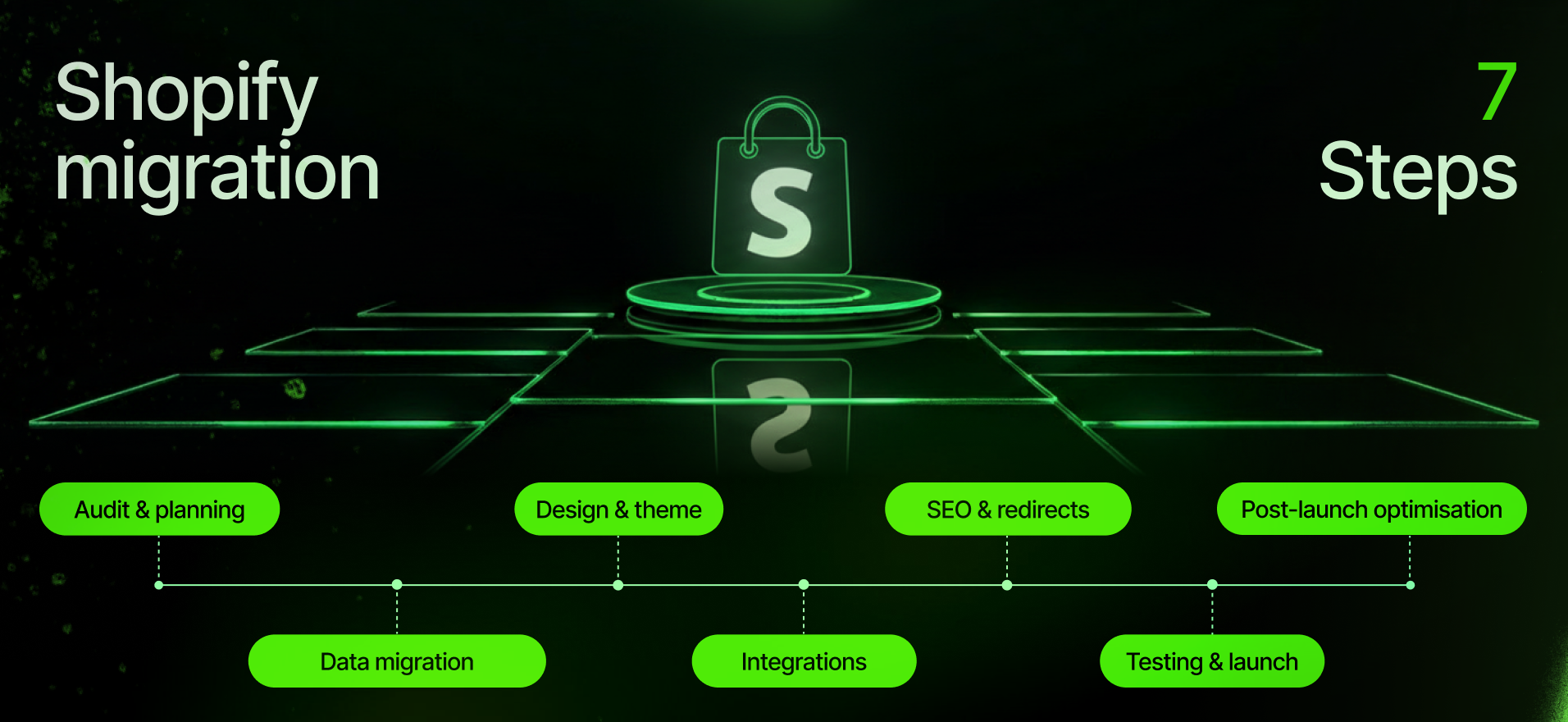
This Shopify migration checklist is designed as a practical, end-to-end e-commerce replatforming guide for 2026. It walks through everything that needs to be considered before, during, and after a move from platforms like Magento, WooCommerce, or BigCommerce to Shopify or Shopify Plus. The goal is simple: help you launch safely, protect your performance, and avoid unpleasant surprises that only surface after customers start complaining. Many teams bookmark this type of guide because it becomes a working document throughout the project, not just something read once.
Pre-migration audit and planning
Analyze your current store in detail
A successful Shopify migration starts with knowing exactly what you are migrating. Before touching Shopify, you should treat your existing store as a system to be fully documented. This includes your entire product catalogue with attributes, variants, pricing rules, and images, but also less obvious elements such as URL structures, CMS pages, blogs, custom scripts, checkout logic, and third-party integrations. Exporting a full list of live URLs with page titles and meta data is particularly important, as this becomes the backbone of your SEO migration later.
It is also critical to identify any custom functionality that has grown organically over the years. Magento and WooCommerce stores often rely on bespoke modules, plugins, or theme customisations that are no longer clearly documented. If these are missed, teams frequently discover post-launch that a “small feature” was actually supporting a key operational workflow or conversion driver.
Define Shopify and Shopify Plus requirements early
Once the current state is clear, the next step is defining what the Shopify store must do on day one. Shopify works differently from open-source platforms, both technically and conceptually. Features that were native or custom-built elsewhere may require Shopify apps, Shopify Functions, or custom development. Complex catalog logic, product bundles, B2B pricing, or multi-currency setups all need to be mapped intentionally rather than assumed.
This is also where teams should decide whether standard Shopify is sufficient or whether Shopify Plus is required. Larger retailers often discover at this stage that Shopify Plus features, automation tools, and API limits are necessary to replicate or improve their existing operations. This planning phase is where trusted Shopify Plus migration consultants for large retailers add the most value, because poor requirement definitions almost always lead to scope creep later.

Assemble the right team and migration tools
Shopify migration is rarely a one-person job. Beyond developers, you will typically need someone responsible for content, someone focused on SEO, and someone overseeing data integrity. Clear ownership of tasks avoids confusion when deadlines approach. At the same time, migration tools should be selected with care. Solutions such as Matrixify or Cart2Cart can accelerate data transfer, but they still require careful configuration and verification.
A realistic timeline should be created that includes buffer time. Unexpected issues are not a sign of failure; they are part of replatforming. Planning for them upfront is one of the main differences between smooth migrations and chaotic ones.
Data migration steps
Product and collection migration
Products are the commercial core of the store, which makes their migration especially sensitive. Before importing anything into Shopify, product data should be cleaned and structured according to Shopify’s model, including how variants, options, and collections are handled. Categories from other platforms usually translate into Shopify collections, but the logic often needs adjustment.
After import, every aspect of product data should be verified. This includes pricing, inventory levels, SKU consistency, images, and variant relationships. Even small discrepancies can cause fulfillment issues or pricing errors that erode customer trust quickly.
Customer and order migration considerations
Customer migration requires both technical and communication planning. Passwords cannot be migrated for security reasons, so customers will need to reset them on the new Shopify store. Importing customer profiles without passwords is standard practice, but it must be paired with clear messaging to avoid confusion or support tickets.
Order migration is more strategic. Some businesses import historical orders into Shopify for reporting continuity, while others archive them externally and focus only on future data. The key requirement is ensuring that finance, support, and fulfillment teams can access the information they need without disruption.
Content pages and blog posts
Content pages and blogs are often underestimated during migrations, yet they carry SEO value and brand credibility. Core pages such as About, FAQs, policies, and educational blog content should be migrated carefully, either manually or via tools, with attention paid to formatting, internal links, and media assets.
Once transferred, every key page should be reviewed in the Shopify theme environment to ensure nothing has broken visually or functionally.
Validate all imported data thoroughly
Data validation is the safety net that prevents catastrophic oversights. Spot-checking is not enough; teams should perform structured reviews to confirm that all products, customers, and essential content are present and accurate. Discovering missing SKUs or incomplete orders after launch can create immediate operational risk, especially during high-traffic periods.
Design and theme implementation
Theme selection or custom build decisions
Shopify themes cannot be imported from Magento or WooCommerce, which means design decisions must be made early. Some brands choose a premium Shopify theme and customise it, while others opt for a fully custom Shopify or Shopify Plus theme development to closely match or improve upon their existing experience.
Once the theme is in place, navigation, templates, and layout structures should be configured to reflect real user journeys rather than simply mirroring the old site. Shopify’s flexibility allows for improvement, but only if time is allocated for thoughtful design implementation.
Full UI and UX review across devices
After content and products are added, the storefront should be reviewed holistically. Shopify’s rendering differs from other platforms, and responsive behaviour may change in unexpected ways. Testing across browsers and devices often reveals layout issues, spacing problems, or broken interactions that need refinement.
Any custom JavaScript or tracking logic from the old site must be reviewed and reimplemented carefully to avoid conflicts or performance issues.
Integration setup

Apps and third-party integrations
Most Shopify stores rely on apps to replace extensions or custom features from previous platforms. Reviews, subscriptions, wishlists, search, and personalization are common examples. Each app should be evaluated not only for functionality but also for performance and long-term maintainability.
Critical integrations such as payment providers, shipping services, ERP systems, CRMs, analytics platforms, and email marketing tools must be fully configured and tested well before launch. Missing or misconfigured integrations are a common source of post-launch emergencies.
Payment, tax, and shipping configuration
Payment and shipping settings directly affect conversion rates and revenue, which makes this step non-negotiable. All shipping rules, tax configurations, and payment methods should be recreated with precision. Shopify Payments, third-party gateways, and local payment options should be aligned with customer expectations in each market.
Testing real checkout flows with test transactions is essential to confirm that everything works as intended.
SEO and URL redirection
URL redirect mapping as a priority task
URL redirects are one of the most critical elements in any Shopify migration checklist. Shopify’s URL structure differs from most other platforms, which means every important legacy URL must be mapped to its new equivalent. This mapping should be completed before launch and implemented using Shopify’s redirect system or a reliable app.
Without proper redirects, even strong brands can experience dramatic traffic losses almost overnight. A well-executed redirect strategy protects years of SEO investment and ensures continuity for both users and search engines.
Metadata, schema, and tracking continuity
Meta titles and descriptions should be transferred or improved during migration, not recreated from scratch unless there is a strategic reason. Structured data for products, reviews, and breadcrumbs should be verified in the new theme to ensure rich results are preserved.
Analytics setup is equally important. Google Analytics, typically GA4 by 2026, along with advertising pixels and conversion tracking, should be configured and tested thoroughly. Generating and preparing to submit Shopify’s XML sitemap ensures search engines can crawl the new site efficiently after launch.
Testing and launch execution
Staging testing and internal dry runs
Before going live, the Shopify site should be tested in a protected environment. All critical user journeys, from browsing to checkout and account creation, should be exercised repeatedly. Backend workflows such as order routing, inventory updates, and fulfillment integrations should also be tested to confirm operational readiness.
This stage often reveals small but impactful issues that are easy to fix before customers ever see them.
Performance and stability checks
Although Shopify is known for speed, performance can still suffer due to oversized images, unnecessary apps, or poorly implemented scripts. Running performance tests and addressing bottlenecks before launch helps ensure a smooth first impression.
Launch preparation and DNS switch
The final launch should be scheduled during a low-traffic window whenever possible. Clear responsibilities should be defined for the launch window, including who monitors issues and who can deploy fixes quickly. Once DNS is pointed to Shopify and the password protection is removed, real-time monitoring becomes essential.
Post-launch review and optimization
Immediate go-live quality assurance
Once live, the site should be reviewed again in its production environment. Certain issues only appear under real conditions, such as cached data or live payment flows. Early detection allows teams to correct problems before they affect a large number of customers.
Monitor SEO, traffic, and sales closely
In the days and weeks after launch, Search Console should be monitored for crawl errors or missing redirects. Analytics data should be reviewed for abnormal drops in traffic or conversions. While minor fluctuations are normal during re-indexing, sharp declines often indicate correctable issues.
Communicate clearly with customers
If customers are required to reset passwords or adjust to a new experience, proactive communication is critical. Framing the migration as an improvement rather than a disruption can strengthen trust and even support re-engagement.
Continuous improvement after Shopify migration
Migration is not the finish line; it is the foundation. The weeks following launch are ideal for optimization, A/B testing, and UX improvements. Shopify Plus merchants, in particular, can take advantage of built-in tools and automation to refine performance quickly based on real data and feedback.
Meticulous migration leads to maximum success
Shopify migration in 2026 is a strategic opportunity, not just a technical task. Executing every step in this checklist protects your revenue, preserves your SEO, and sets your team up for long-term scalability. While it is possible to manage this process internally, many teams discover that the level of detail required can quickly become overwhelming.
This is where experience matters. Working with one of the best companies for Shopify Plus migration services in the UK provides a safety net that ensures nothing is missed. Fourmeta Shopify migration service has guided numerous brands through complex migrations with a meticulous, battle-tested approach that prioritizes stability, performance, and growth. If this checklist feels daunting, it may be a sign that expert support could turn a risky project into a confident, controlled transition.